How to Organize Your PC Cables for Better Airflow, Aesthetics, and Long-Term Health
A clean PC interior is more than an aesthetic choice — it's a functional one. Proper cable management promotes airflow, simplifies maintenance, and can meaningfully extend the operational lifespan of your components. It's a step many builders overlook, yet the payoff is substantial: with the right approach, a rat's nest of tangled wiring becomes a deliberate, well-engineered system.
The best time to address cable routing is during the initial build. Modular power supplies are a significant advantage here, allowing you to connect only the cables your configuration actually requires and eliminating unnecessary slack from the start. Route everything you can behind the motherboard tray to keep the main chamber unobstructed. Modern cases have largely caught up with builder expectations, offering integrated cable channels, Velcro anchor points, and rubberized grommets purpose-built for clean routing. The key discipline is distribution — spreading cable bundles evenly rather than consolidating them into a single dense mass, which can recreate the very airflow restrictions you're trying to eliminate.
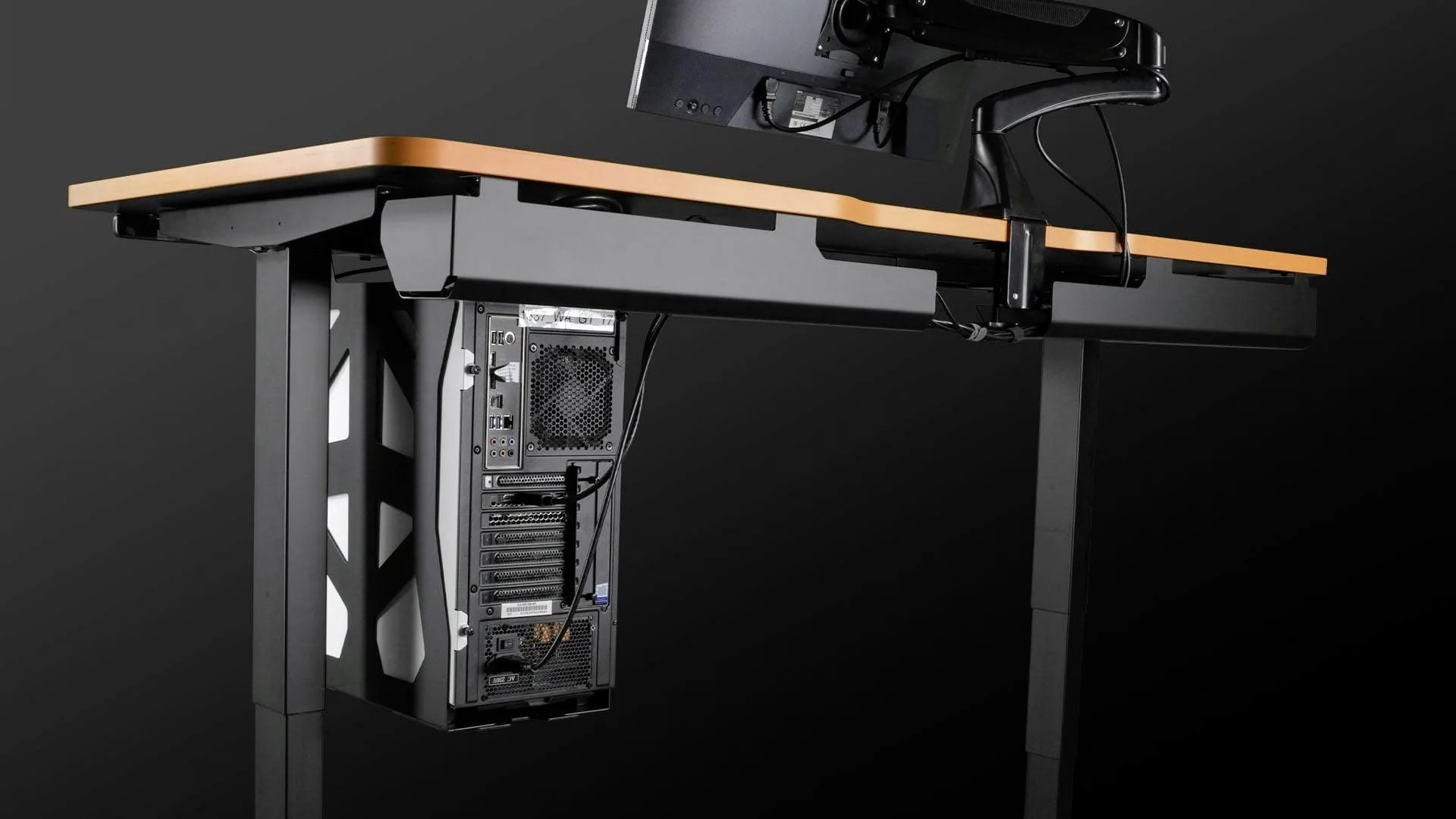
Thoughtful cable management extends beyond the case itself — cables and peripherals can be routed cleanly under the desk as well (pictured: Leetdesk setup).
Leetdesk
Thermal performance is where cable management moves from cosmetic to critical. Loose, unmanaged cables can obstruct fan intake paths or trap hot exhaust air in pockets where it has nowhere to go — both scenarios drive up component temperatures and increase thermal throttling risk. Routing cables along the case perimeter and securing them with reusable cable ties addresses this directly. For builders who want to go further, flat ribbon-style cables and sleeved extensions offer a dual benefit: they sit flatter against surfaces for easier routing, and their visual uniformity — especially in color-matched configurations — gives the interior a finished, intentional look.
Retrofitting an existing build follows the same logic, just in reverse. Start by fully disconnecting the system from mains power, then methodically loosen and remove existing cable bundles rather than trying to reroute around them. Work section by section. This is also an ideal opportunity to clear accumulated dust from heatsinks, fan blades, and filters, and to verify that every connector is fully seated. Prioritize short, direct cable paths wherever possible, and tuck any excess length behind the rear panel rather than coiling it in the main chamber.
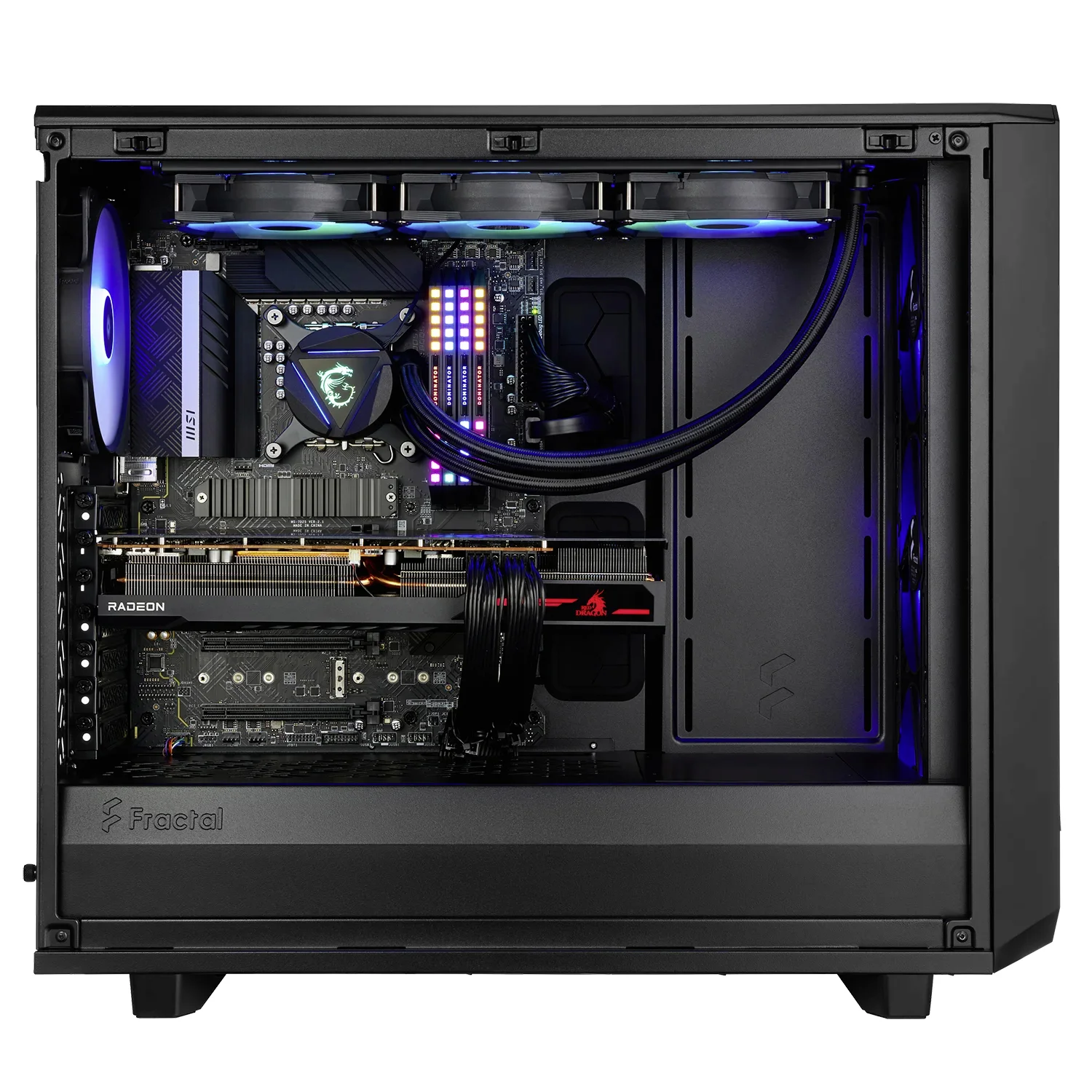
A well-organized interior does more than look sharp — it directly improves airflow efficiency and the overall thermal performance of the system.
Fractal
The long-term returns on disciplined cable management are tangible. Lower operating temperatures translate to more stable performance and reduced wear on components over time. Maintenance becomes faster and less frustrating when you're not untangling wires to reach a drive bay or a RAM slot. And in an era where tempered glass side panels and addressable RGB lighting have made the interior of a PC as much a display as a machine, a clean build simply looks the part. A modest investment of planning, patience, and a few basic tools is all it takes to transform cable chaos into a system that performs as well as it presents.